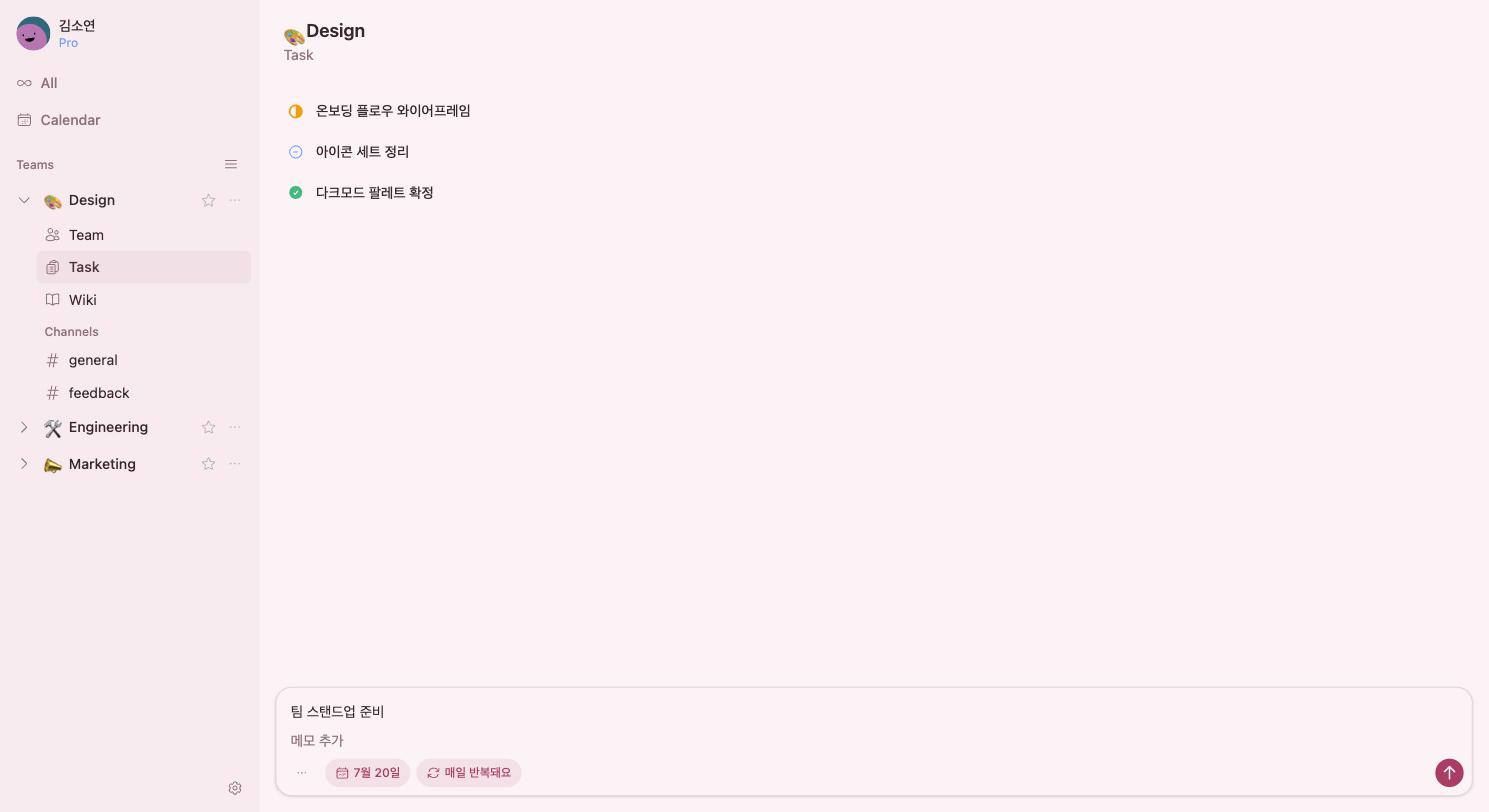
Reminders, your way
You set the rules.
The reminders follow
Once, or every week on the days you choose. Several times a day, or only within set hours. withtask reminders bend to your team's rhythm — and yours.
- Once, or repeat every minute, hour, day, week, month, or year
- Pick the exact weekdays each week, the exact dates each month
- For every-minute and hourly reminders, set the active hours too
- Several times a day — add every time you need
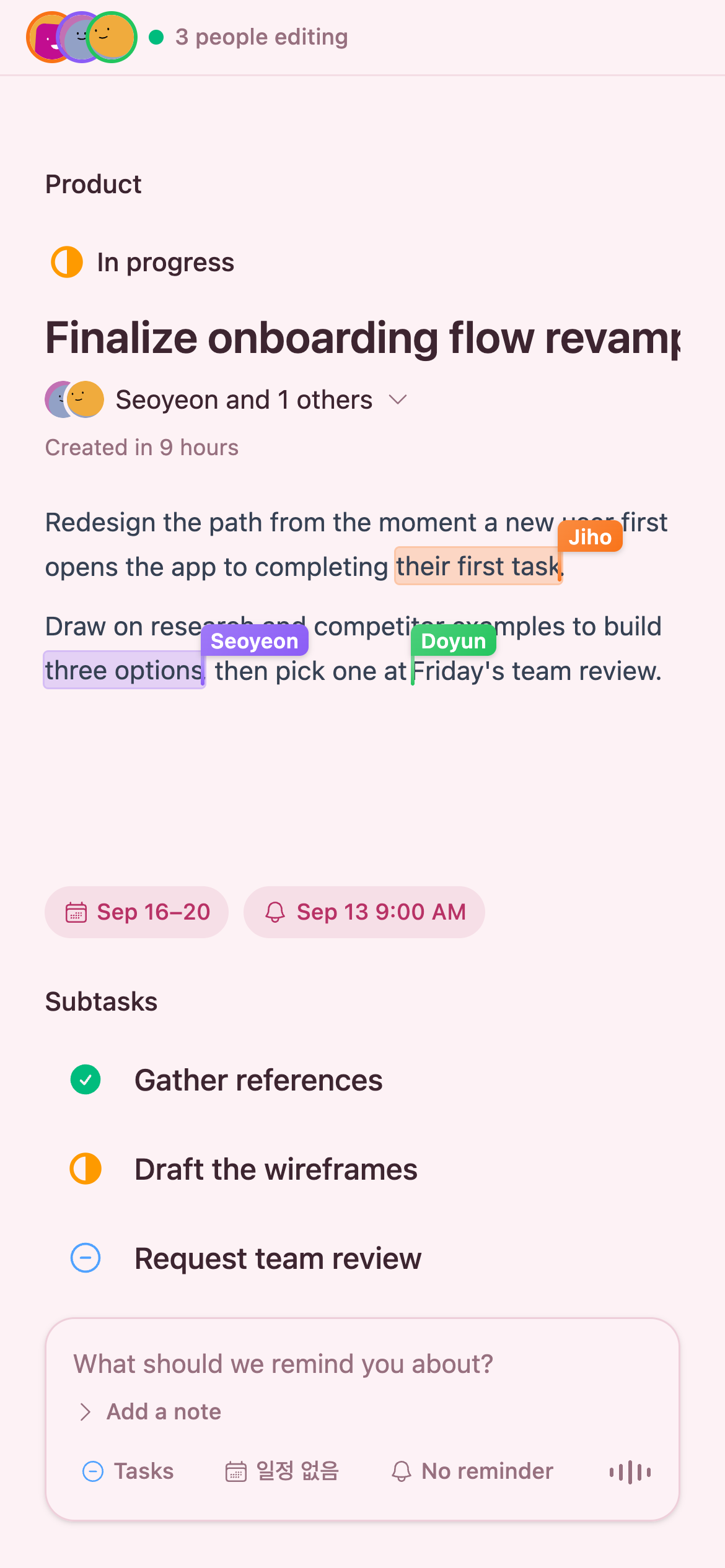
Real-time collaboration
Many hands on one task
Open the same task detail with your teammates and edit the description and subtasks in real time. Live cursors show exactly who's editing where.
6 themes · light & dark
The screen you see every day,
pick the look you love
Six color themes plus light and dark mode. Pick the one you like and make the workspace your own.
In progress 4
- Finalize onboarding flow revamp
- Run 5 user interviews
- Refactor payment API
To-do 4
- Finalize September release scope
- Clean up icon set
In progress 4
- Finalize onboarding flow revamp
- Run 5 user interviews
- Refactor payment API
To-do 4
- Finalize September release scope
- Clean up icon set
In progress 4
- Finalize onboarding flow revamp
- Run 5 user interviews
- Refactor payment API
To-do 4
- Finalize September release scope
- Clean up icon set
In progress 4
- Finalize onboarding flow revamp
- Run 5 user interviews
- Refactor payment API
To-do 4
- Finalize September release scope
- Clean up icon set
In progress 4
- Finalize onboarding flow revamp
- Run 5 user interviews
- Refactor payment API
To-do 4
- Finalize September release scope
- Clean up icon set
In progress 4
- Finalize onboarding flow revamp
- Run 5 user interviews
- Refactor payment API
To-do 4
- Finalize September release scope
- Clean up icon set
Always with you on your desk
It stays in your tray so you never miss a reminder. Available for macOS and Windows.
자주 묻는 질문
withtask는 무료인가요?
네, withtask는 무료로 시작할 수 있으며 신용카드가 필요 없습니다.
어떤 플랫폼을 지원하나요?
macOS, Windows, iOS, Android를 지원합니다. 데스크톱 앱은 트레이에 상주하며 알림을 놓치지 않습니다.
팀원과 함께 쓸 수 있나요?
네, 같은 할 일을 여러 명이 동시에 열어 설명과 하위 작업을 실시간으로 편집할 수 있습니다. 각자의 커서가 표시됩니다.
알림은 어떻게 설정하나요?
한 번만 울리는 알림부터 매일·매주·매월 반복, 특정 요일이나 날짜 지정, 하루에 여러 번 알림까지 자유롭게 설정할 수 있습니다.
내 데이터는 안전한가요?
모든 통신은 암호화되며, 개인정보 처리방침에 따라 데이터를 관리합니다. 계정 삭제 시 7일 유예 후 모든 데이터가 완전히 삭제됩니다.
Start with today’s tasks
Right after signing up, you can create a team and add your first task.
Get started free